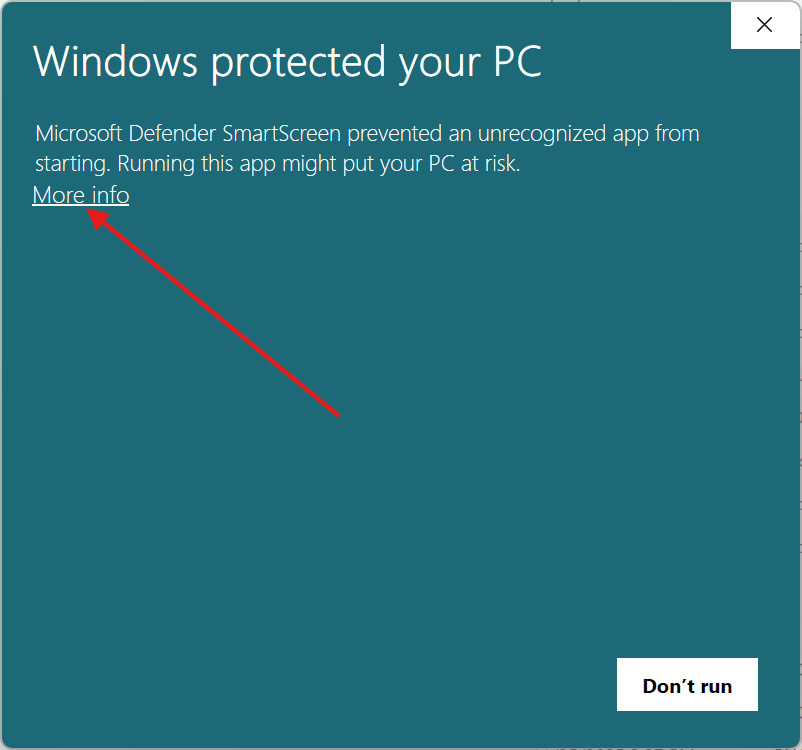
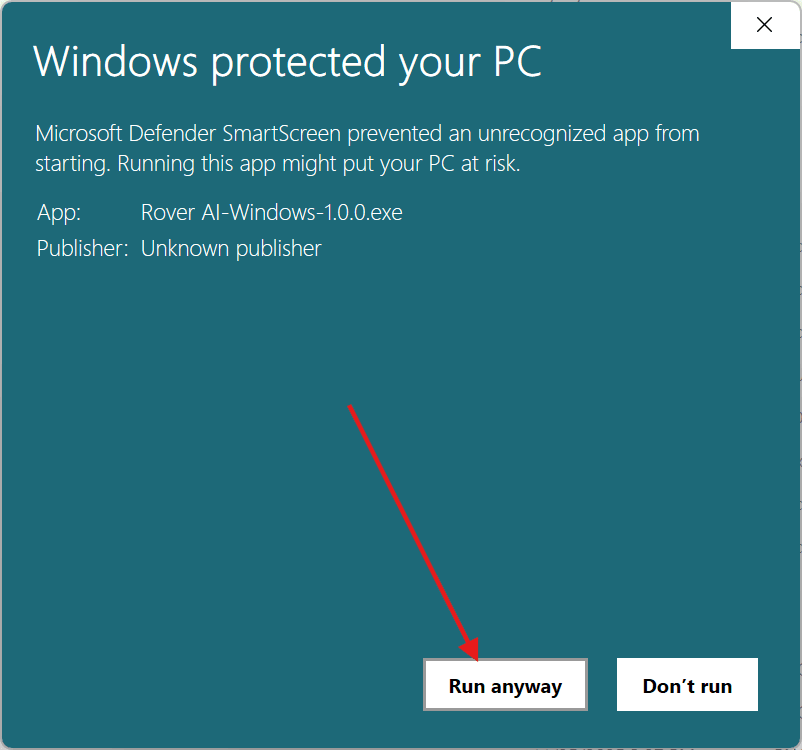
Windows SmartScreen
Since trust takes time to establish, you may see a Windows SmartScreen warning when downloading the app.
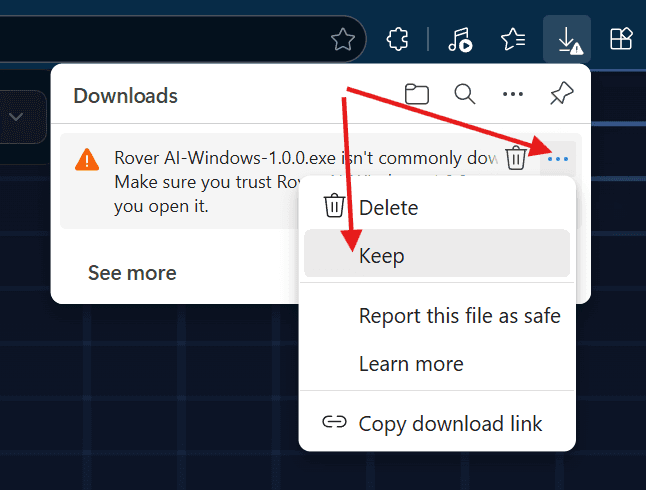
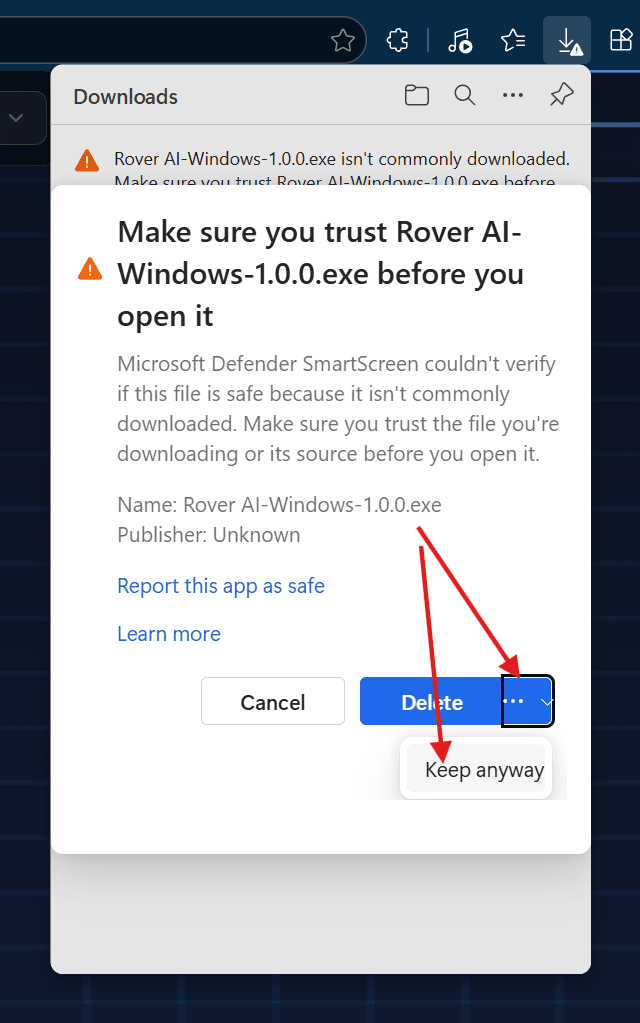
You will need to click "Keep anyway" (or similar) once the download finishes. The button's location varies by browser. An example using Microsoft Edge is shown below.
The installation is a one-click operation. However, you may see the Windows SmartScreen prompt again before the process begins.